

When you arrive overseas
Do these things when you land:
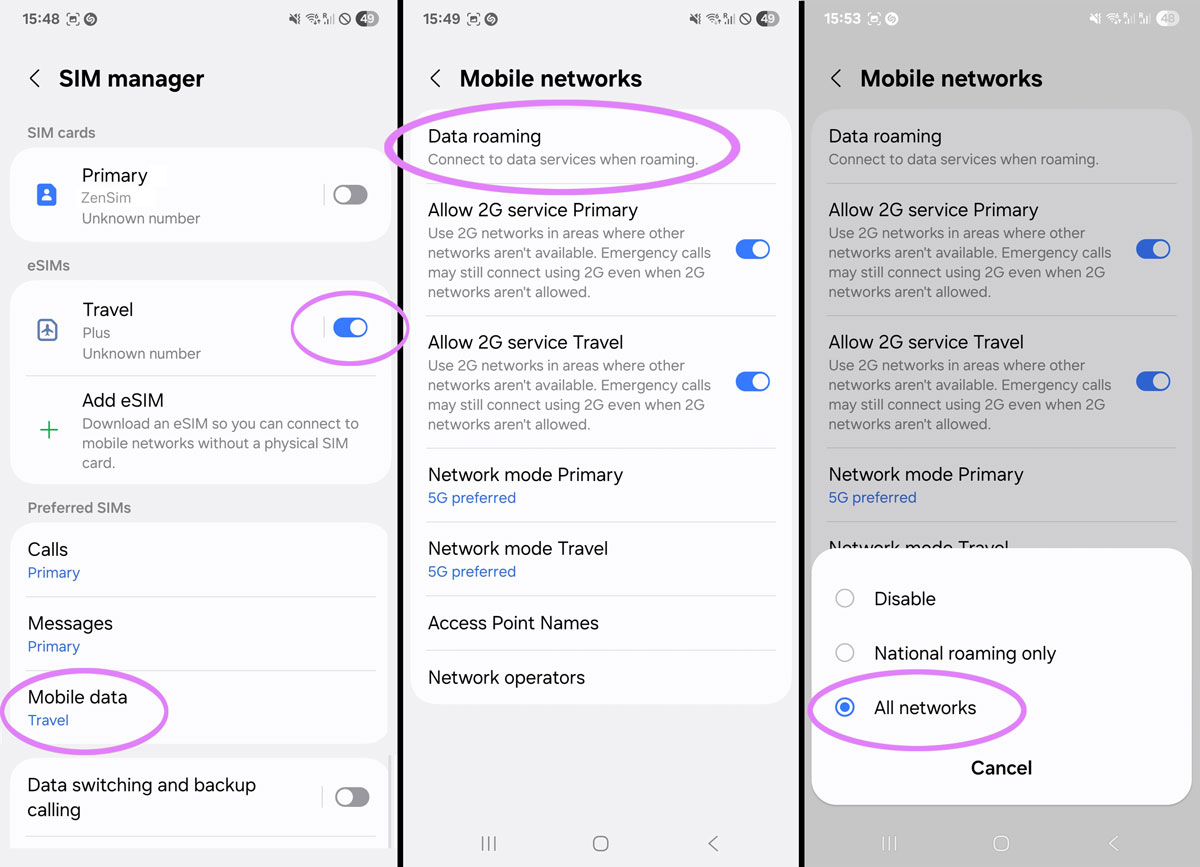
- Open Settings > Connections > SIM Manager
- Scroll to the bottom and set Mobile Data to use your new travel eSIM
- Go back to Connections and tap on Mobile Networks
- Confirm Data Roaming is ON or set to All Networks
- Turn on flight mode, wait 30 seconds, turn it off again
Once you do the above you should be able to connect, note it can take up to 15 minutes to find the network in a new country for the very first time.
Do not scan the QR code again
If you already have the eSIM installed like we confirmed above you do not need to scan the QR code again, this will display an error which will tell you the QR code has been used already since the eSIM is already installed.
The eSIM will activate automatically
You do not need to do anything to "Activate" the eSIM provided it is installed already and you have followed the instructions above for when you land it should be all gravy.
You do not need to click anything or scan anything and you don't even need to use or download our app in order to use the eSIM - but we do recommend our ZenSim app for topping up and checking your balance of course.
Still not connected? Configure your APN
If the steps above didn't get you online, you may need to manually add an APN on your Samsung device (this is common for Samsungs when travelling between countries).
Follow the steps below to do so:
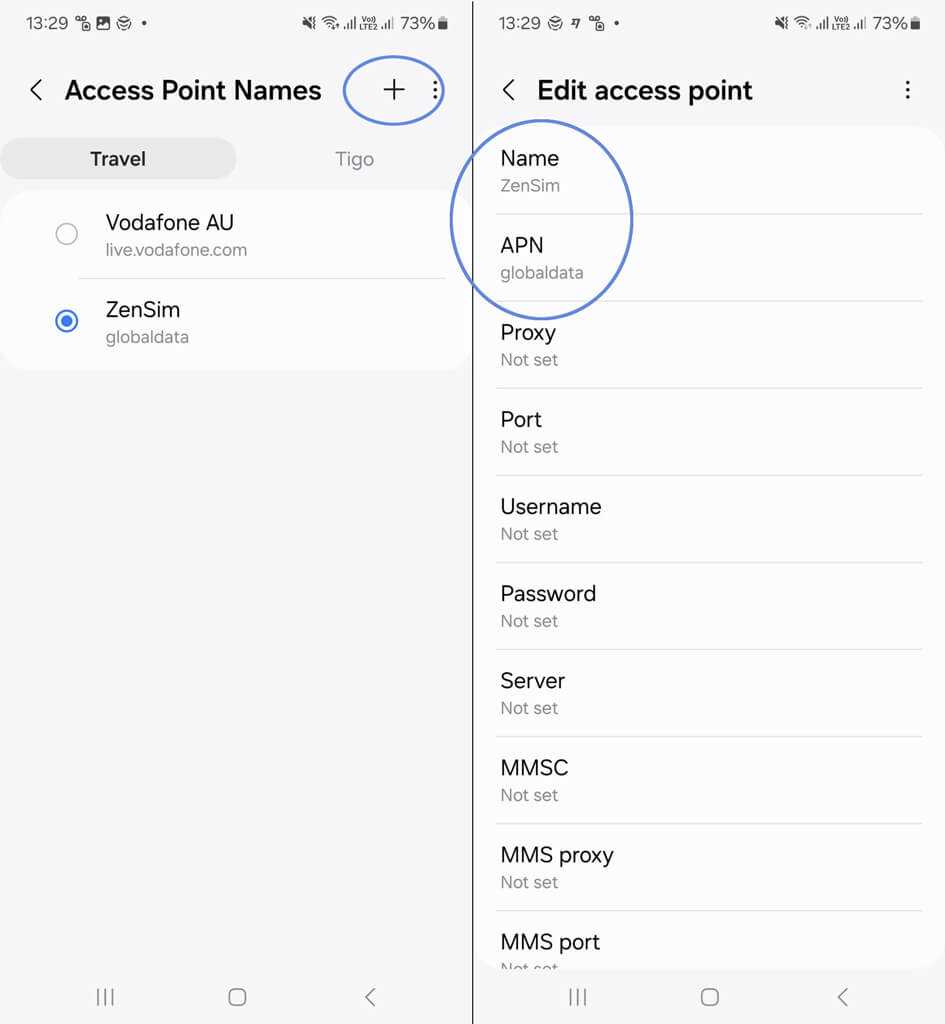
- Open Settings > Connections > Mobile Networks
- Select the eSIM plan, then go to Access Point Names (APN).
- Tap the plus icon on the top right hand corner or "Add APN"
- In the APN field, enter globaldata. Delete any entries in the username or password fields.
- Return to the previous screen and select the new APN.
- Enable flight mode, wait 30 seconds and disable it again

Suscríbete
Únete a nuestra comunidad
Te contactaremos cuando lancemos nuevos productos, proyectos de sostenibilidad, promociones, innovaciones o incluso contenido interesante que creemos que vale la pena compartir contigo.


